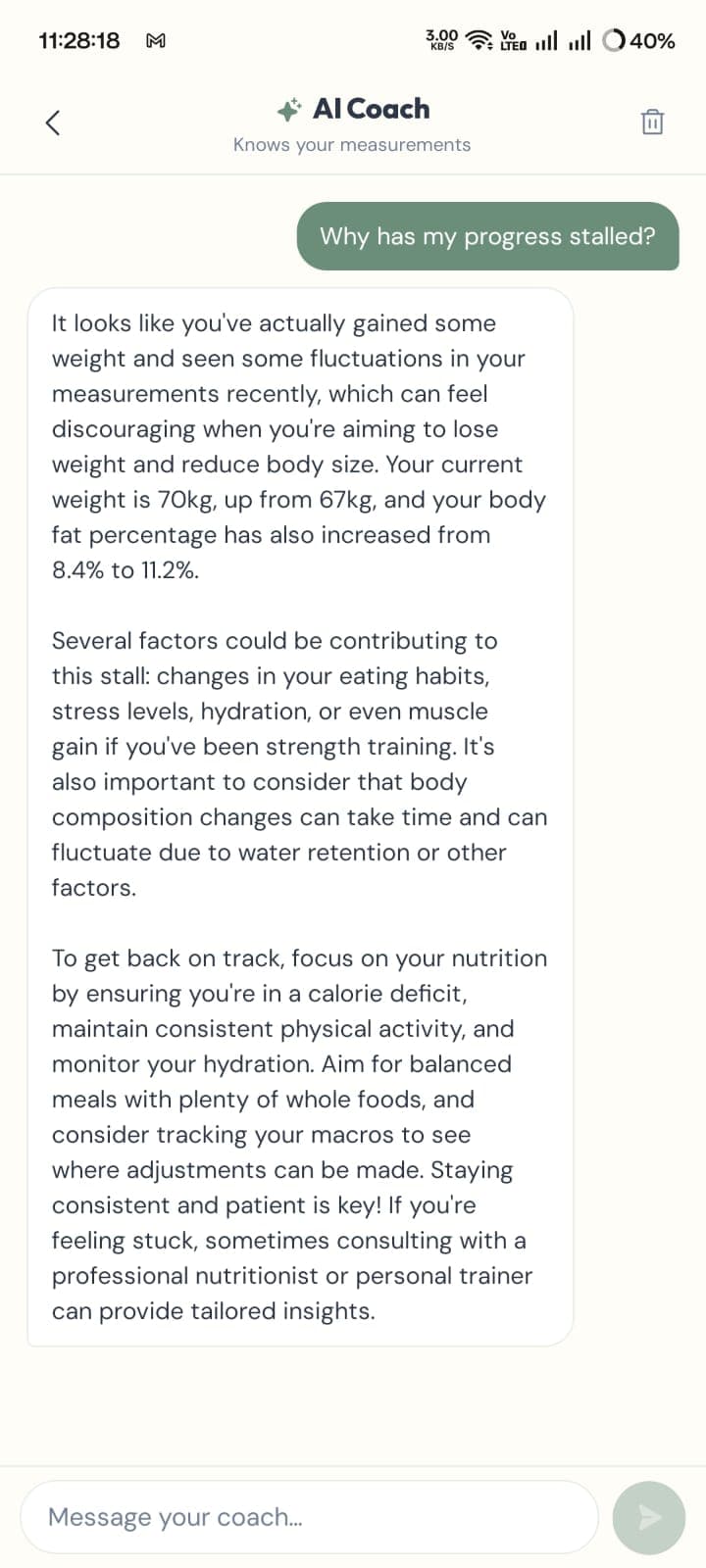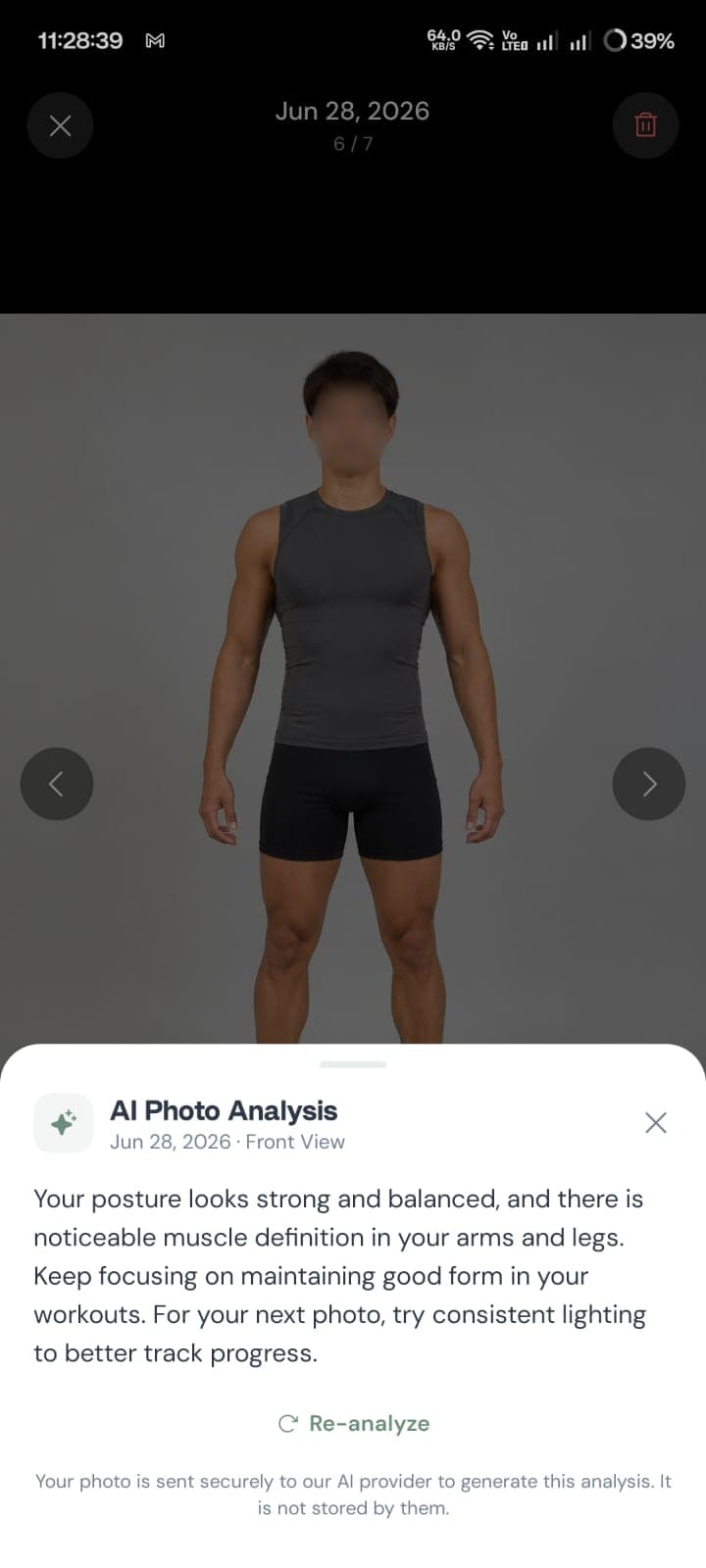
Progress photos are among the most sensitive things people put in a fitness app. They show your body, they're dated, and they usually sit next to your weight. It's reasonable to ask where they actually go — and the answer is less obvious than most people assume, because the law that people expect to protect them usually doesn't apply.
The short answer
- Most fitness and body-tracking apps are not covered by HIPAA. They fall under the FTC's Health Breach Notification Rule instead.
- A large study found 88.0% of health apps contained code that could collect user data, but only 3.9% were actually observed transmitting it. Capability and behaviour are not the same thing.
- 28.1% of the apps studied had no privacy policy at all — the single clearest warning sign.
- What matters most is where a photo is stored, whether any upload is opt-in per photo, and whether the policy names who receives data.
The HIPAA gap most people don't know about
There's a widespread assumption that anything health-related is protected by HIPAA. For hospitals and insurers, it generally is. For the app on your phone, it usually isn't.
The FTC puts it plainly: "For most hospitals, doctors' offices, and insurance companies, the Health Insurance Portability and Accountability Act (HIPAA) governs the privacy and security of health records stored online. But many companies that collect people's health information – whether it's a fitness tracker, a diet app, a connected blood pressure cuff, or something else – aren't covered by HIPAA" (FTC).
What covers them instead is the FTC's Health Breach Notification Rule, which requires organisations not covered by HIPAA to notify their customers, the FTC, and in some cases the media if there's a breach of unsecured, individually identifiable health information. The FTC amended that rule in July 2024 to modernise it for apps and connected devices.
This is a meaningful protection, but note what it is: a rule about telling you after something goes wrong. It is not a restriction on what an app may collect in the first place, the way people often imagine HIPAA to be. What an app collects is governed mostly by its own privacy policy — which is why that document matters more than it should.
What the research actually found
The most-cited number in this space is badly misreported, so it's worth stating carefully.
A cross-sectional study published in The BMJ in 2021 analysed 20,991 mHealth apps (8,074 medical and 12,917 health and fitness), with in-depth analysis on 15,838 of them. The findings (Tangari et al., BMJ 2021):
| Finding | Figure |
|---|---|
| Apps with code that could collect user data | 88.0% (18,472) |
| Apps observed transmitting user data in traffic | 3.9% (616) |
| Apps providing no privacy policy at all | 28.1% (5,903) |
| Data transmissions that complied with the stated policy | 47.0% |
Those first two rows are the ones that get conflated. "88% of health apps share your data" is a claim you'll see repeatedly, and it's not what the study found. 88% had the capability; 3.9% were observed actually transmitting. Most of that capability comes from ordinary third-party libraries — analytics, crash reporting, ads — bundled into apps as a matter of routine.
The genuinely damning figures are the other two. More than a quarter of these apps had no privacy policy whatsoever. And among apps that did transmit data, fewer than half of those transmissions matched what the app's own policy said would happen. The study's conclusion was blunt: it "found serious problems with privacy and inconsistent privacy practices in mHealth apps."
So the honest summary isn't "health apps are spying on you." It's that the ecosystem is inconsistent and poorly documented, and you often cannot tell which kind of app you're holding from the outside.
The three places a progress photo can live
Once you strip away the marketing language, a photo you take in a body-tracking app ends up in one of three arrangements:
1. On your device only. The photo is written to local storage and never leaves unless you export or share it. Nothing to breach on a server because there's no server copy. The trade-off is real: lose or wipe the phone without a backup and the history is gone.
2. Synced to the company's cloud. The photo uploads to a server, usually tied to an account. This buys you cross-device access and recovery after losing a phone. It also means your photo library exists somewhere you don't control, subject to that company's security, retention policy, and whatever happens to the company later. Worth noting: exporting a finished artefact like a transformation video is a separate decision from whether the underlying photo library was ever uploaded — an app can produce one entirely on-device.
3. Sent to a third party for processing. The photo goes to an external service — commonly an AI provider — to generate something like a body composition estimate. This can happen for every photo automatically, or only when you explicitly request it. The difference between those two is enormous and is frequently buried.
None of these is automatically wrong. Cloud sync is a legitimate feature that people reasonably want. What matters is knowing which arrangement you're in, and that the app tells you clearly rather than leaving you to infer it.
Questions worth asking about any body-tracking app
These are answerable in a few minutes and separate careful apps from careless ones:
- Is there a privacy policy at all? Given that 28.1% of studied apps had none, this filters more than you'd expect.
- Does it require an account? An app that works without one generally cannot be holding a server-side copy tied to your identity.
- Where does it say photos are stored? Look for an explicit statement about local versus cloud storage, not vague language about "protecting your data."
- Does it name the third parties? A policy that lists specific processors is far more accountable than one referring to unnamed "trusted partners."
- Is AI analysis opt-in per use? There's a meaningful difference between an app that analyses every photo by default and one where you tap a button on a specific photo.
- Can you export and delete everything? Both matter, and deletion should cover server copies if any exist.
The same instinct that makes you standardise conditions for comparable photos applies here: be deliberate about the setup once, and you stop having to think about it every time.
What "opt-in" should actually look like
The third arrangement above — sending a photo out for AI processing — is where the clearest design differences show up.
An app can send every photo to a provider in the background and describe it in the policy. Or it can leave photos local by default and send a single, specific photo only when you tap to analyse it, with a note at the point of action saying where it's going. Both can be truthfully described as "we use AI." Only one of them lets you decide per photo.
FormSnap takes the second approach: ordinary progress photos stay on the device, and only a photo you explicitly submit for analysis is sent to the AI provider — with that stated on the analysis screen itself rather than only in the policy. That's the design being described here, and it's the one worth looking for generally: the disclosure appears where the decision is made, not seven screens away in a legal document.
The broader point isn't about any single app. It's that "we take your privacy seriously" is not information, and a sentence telling you exactly what leaves your device and when is.
Bottom line
HIPAA probably doesn't cover your fitness app. The FTC's Health Breach Notification Rule does, but it governs what happens after a breach, not what gets collected beforehand.
The research says the ecosystem is inconsistent rather than uniformly predatory — most apps have the technical capability to collect data, far fewer were observed sending it, and a large minority don't document their practices at all. That inconsistency is the actual problem, because it means you have to check rather than assume.
For progress photos specifically, the question worth answering before you take the first one is simple: does this photo stay on my device, and if it ever leaves, do I get to decide each time? Everything else in the policy is secondary to that.